Features
Cameras and doorbell
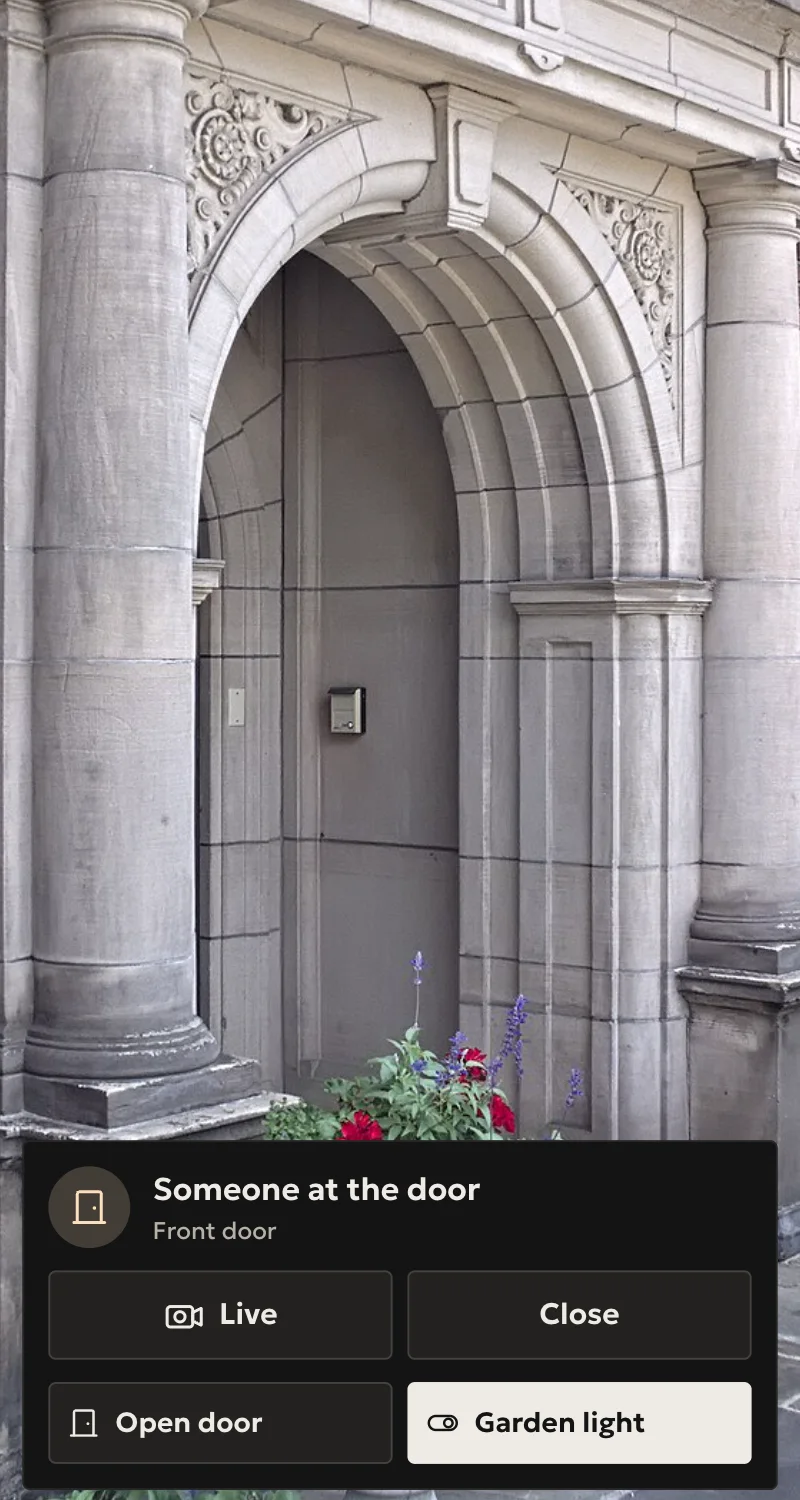
Live pictures in Home, the doorbell as a call on iPhone and iPad, buttons on the picture, and the door on the wall panel when it rings.
On this page
Your installer adds cameras and doorbells to the hub from Arvio Partner. You watch live in Home, and when the doorbell rings your phone rings like a call or sends a notification, as you choose.
What it does
| Function | Where |
|---|---|
| Live and still pictures, full screen, with zoom | Home in the browser, iPhone, iPad, Mac |
| ONVIF cameras and recorders, one camera per channel | Added from Partner |
| Aqara G4 doorbell: a call with the picture, you hear the door and it hears you | iPhone and iPad |
| Dahua door stations: picture, ring, opening the door | Home, wall panels |
| Up to 10 buttons on the picture, such as a door or a light, with whether the door is open | Home, iPhone, iPad |
| The door's picture opens on the wall panel when it rings | Wall panels |
| Motion and other events, as sensors for automations | Hub |
The doorbell as a call
It rings for everyone
It rings on every phone in the home. Once one answers, it stops on the others. With no answer, it ends after 45 seconds.
Your own choice
In the iPhone and iPad app: Me → This device → Doorbell, «As a call», «Notification» or «Off», for each home. In the browser, notifications on or off.
A schedule
The installer sets, for each person, when it rings as a call, as a notification or not at all: by days and hours, or by whether they are at home. Your phone's «Off» always stays silent.
Talking
With the Aqara G4 you hear the door straight away, even on a locked phone. The call starts muted: press the mute button to talk.
No camera, a notification
Anyone who sees none of the home's cameras gets a notification, not a call.
Who sees what
- Owner and manager: every camera.
- Member: only the ones the owner or manager opens for them, one by one.
- Guest: none.
- Installer: pictures only with a specific camera permission.
- Whoever sees the door's camera can talk at the door.
Which cameras work?
Cameras and recorders that speak ONVIF and offer H.264, the Aqara G4 doorbell through HomeKit, and Dahua door stations. Each driver's page in the Marketplace says what it does.
Do pictures leave for the cloud?
When you watch live from outside, the video passes through the relay and is not stored. Doorbell photos stay on the hub, and the owner can turn them off. The rest is on the Data and privacy page.
What about my recorder?
It keeps recording as before. Arvio reads from it and does not replace it.
Already have cameras?
Tell us what you have, and we will tell you what you will see.
Tell us about your space
Tell us what you have and what you want, and we will work out together what your space needs.