
Features
Alarm and locks
You lock and arm with a visible confirmation. Unlocking and disarming follow stricter rules.
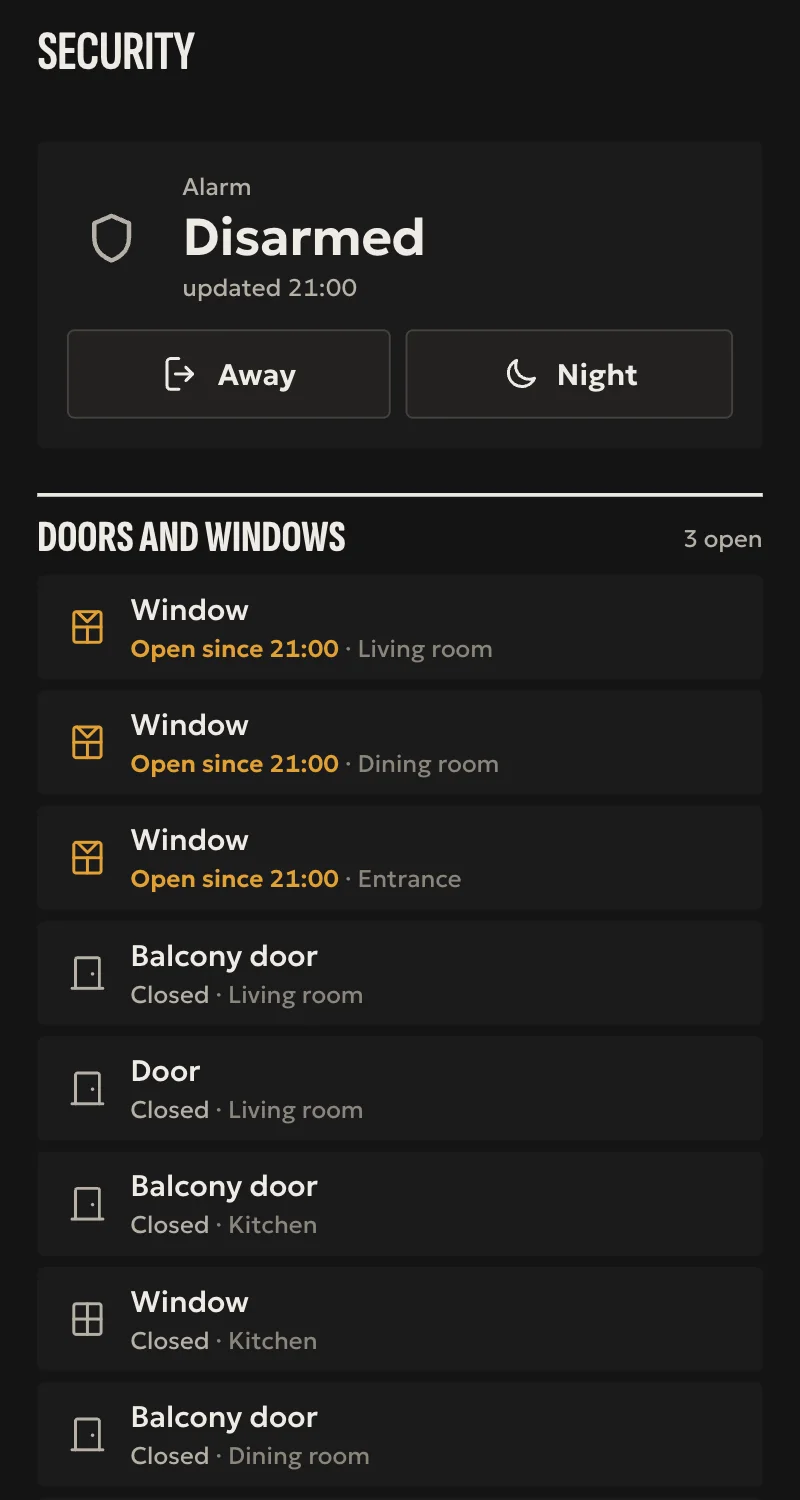
Locking and arming are easy, with a visible confirmation. The opposite, unlocking and disarming, follows stricter rules, and an automation never does it.
What can be done from where
For owners and managers. A member only has the locks and alarms opened for them. A guest does not see the alarm. The installer can lock and arm, but cannot unlock or disarm remotely.
| Action | In Home | In an automation | In a scene |
|---|---|---|---|
| Lock | Yes, after a confirmation step | Yes | No |
| Arm | Yes, after a confirmation step | Yes, in a scenario | No |
| Unlock | Through TRU, after you tap Yes | Never | Never |
| Disarm | Through TRU, after you tap Yes | Never | Never |
What connects
Ajax, through Arvio Cloud
The home's Ajax account is linked in Partner. SFK's key for the Ajax API stays in the cloud, never on a hub. The hub gets a token that opens only this home's data.
What you see from Ajax
The alarm's state, arming and night mode. Door, leak, motion, smoke and tamper sensors, temperature and battery, whatever each device reports. And LightSwitch channels as switches.
Confirmed by Ajax
Each command is read back from Ajax until it shows. The state refreshes every 15 seconds, and events arrive live where their feed is open.
Locks
Locks connected to Fibaro or Yubii Home. A lock counts as locked only when the controller shows it, never because time has passed.
Linking Ajax
The installer does this in Partner, in the home's project.
Link the account
They enter the home's Ajax account. The password exists only in the submitted form.
Pick the hubs
They choose which Ajax hubs belong to this home. Only those open.
The hub sees them
The alarm and its sensors appear in Home.
Rules that do not change
- No queue. A security command is valid for 30 seconds. If the hub does not answer it expires, and it never runs later.
- The lock changes on screen only when the hub confirms it, never on the tap.
- If the hub is offline you see an unknown state with the time it was last known, not an old "locked".
- After a restart the hub only reads. It sends no commands to locks or the alarm.
- Unlocking and disarming without confirmation are refused by the hub itself.
Want more on security?
Tell us about your space
Tell us what you have and what you want, and we will work out together what your space needs.